
06. View my sales and deliveries
MisMy ventasSales permitelets consultaryou losreview retornosreturns oor liquidacionessettlements asociadoslinked ato tusyour compras:purchases: ventasproduct desales productosfor pararesale reventaand, y,when cuandoapplicable, corresponda,product entregas de productos.deliveries.
1. ConsultaReview elthe retornoconfirmed confirmadoreturn
Abre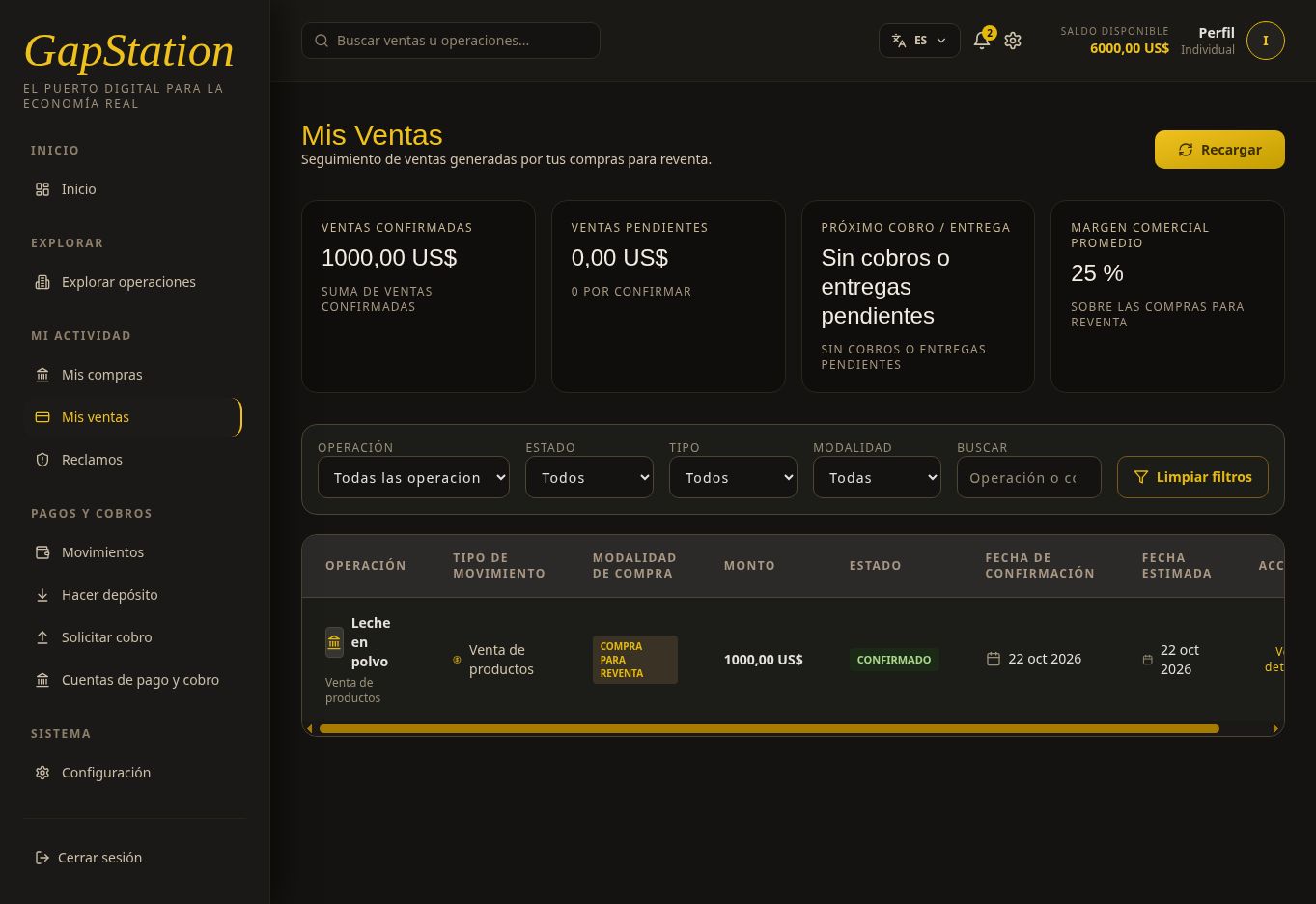
Open MiMy actividadactivity → MisMy ventassales. FiltraFilter porby operación,opportunity, estado,status, tipotype, yor modalidad.mode. PuedesYou buscarcan ysearch utilizarand use LimpiarClear filtrosfilters oor RecargarRefresh.
En el ejemplo de Leche en polvo hayexample un registro Confirmado, tipo Venta de productos, modalidad Compra para Reventa. La fila y la tarjeta de ventas confirmadas muestran 1.000 USD, correspondientes al resultado comercial del ejemplo. Ese importe no representa por sí solo todo el dinero que vuelvehas a laConfirmed billetera.entry of type Product sale in Buy for Resale mode. The row and confirmed-sales card show USD 1,000, corresponding to the example’s commercial profit. That amount alone does not represent all the money returned to the wallet.
2. AbreOpen VerView detalledetails
En la fila, pulsa Ver detalle. El modal se titula Detalles de la compra y muestra operación, estado, fecha de confirmación, importe comprado, productos y avance del proceso.
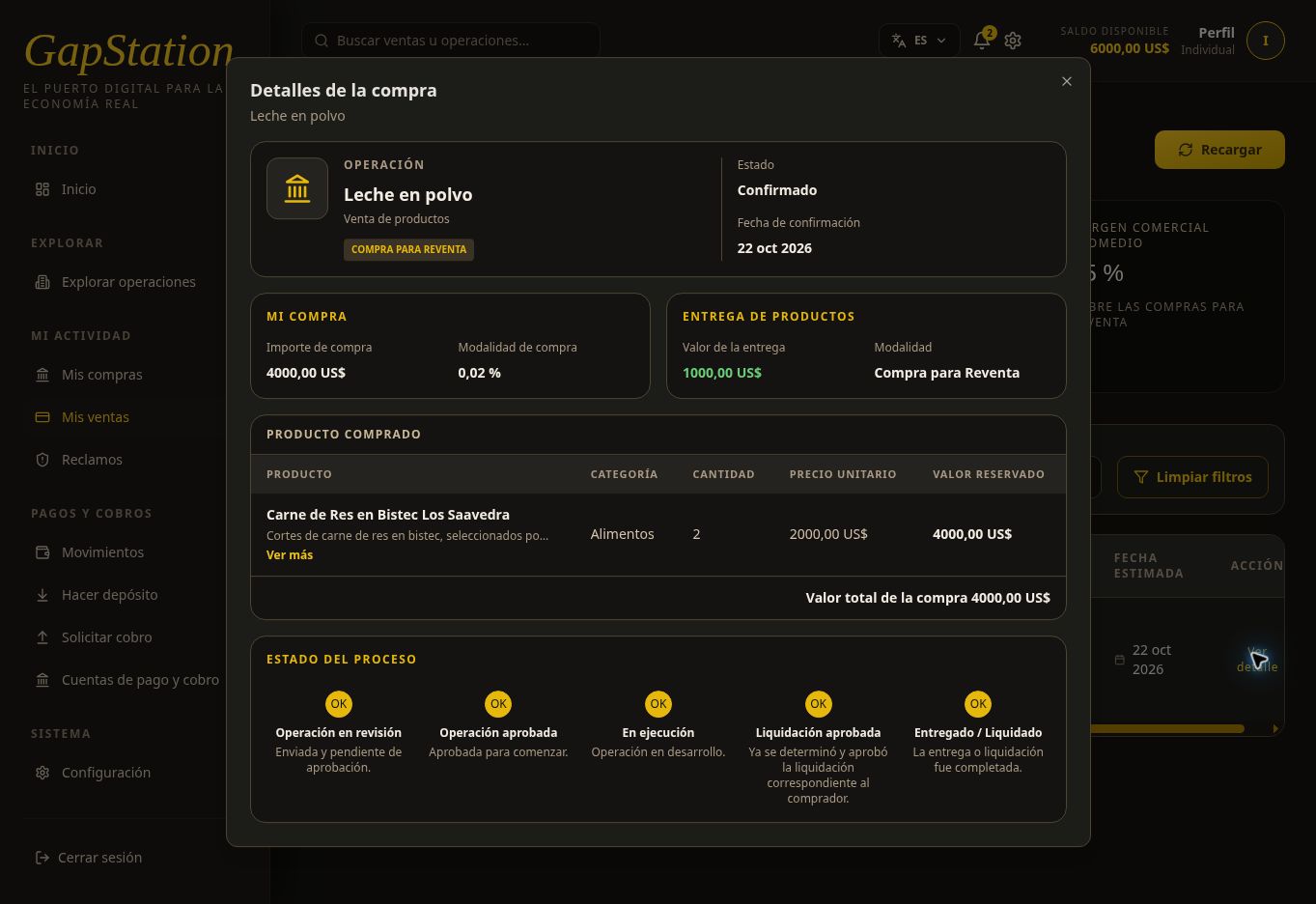
SeIn verificanthe row, select 4.View details. The popup is titled Purchase details and shows the opportunity, status, confirmation date, purchase amount, products, and process progress.
It shows a USD 4,000 USDpurchase, detwo compra,units, dosand unidadesa yprocess elthrough proceso hasta EntregadoDelivered / Liquidado.Settled. AlgunasSome etiquetaslabels dein estathis vistatest deview pruebas dicensay “EntregaProduct dedelivery” productos” oor “ValorDelivery devalue” laeven entrega”for auna enresale unapurchase. compraAlways paracheck reventa.the Interpretamode siempreand lacompare modalidadamounts ywith contrasta los importes con Movimientos.Transactions.
3. CómoHow pasamosthe debalance 1.changed from USD 1,000 a 6.000to USD 6,000
Los 6.000The USD incluyen6,000 elincludes dinerothe quemoney yayou tenías;already nohad; sonit 6.000is not USD de6,000 ganancia.of Enprofit. MovimientosTransactions seshows verificóa unacompleted entradaReturn Devoluciónentry of +5.000USD USD,5,000. COMPLETADA.In Enthis estecase, caso,the elbalance saldoconfirms confirmathe quereturn elwas retornocredited; fuean acreditado;estimated unafigure cifrabefore estimadasettlement anteswould de liquidar no lo confirmaría.not.
4. CobrarWithdraw to a unadestination cuenta de destinoaccount
ElThe saldocredited acreditadobalance permanecestays enin tuyour billetera.wallet. ParaTo solicitarrequest sua retiro,withdrawal, primerofirst registraregister unaa cuentapayment deand pagowithdrawal yaccount, cobrothen yuse despuésRequest utiliza Solicitar cobrowithdrawal. UnA retornoconfirmed confirmadoreturn yand unaa solicitudwithdrawal derequest retiroare sonseparate procesos distintos.processes.
CapturasThese delscreenshots entornoare defrom pruebas,the anteriorestest aenvironment laand solicitudwere posteriortaken debefore retirothe delater 1.USD 1,000 USD.withdrawal request.