
08. Register payment and withdrawal accounts
ParaEspañol
To unrequest retiroa necesitaswithdrawal, unayou cuentaneed dea destino.destination Enaccount. Under PagosPayments yand cobroswithdrawals → CuentasPayment deand pagowithdrawal yaccounts, cobroopen sethe abreWithdrawal laaccounts pantalla Cuentas de retiro.screen.
1. AbreOpen RegistrarRegister cuentaaccount
Pulsa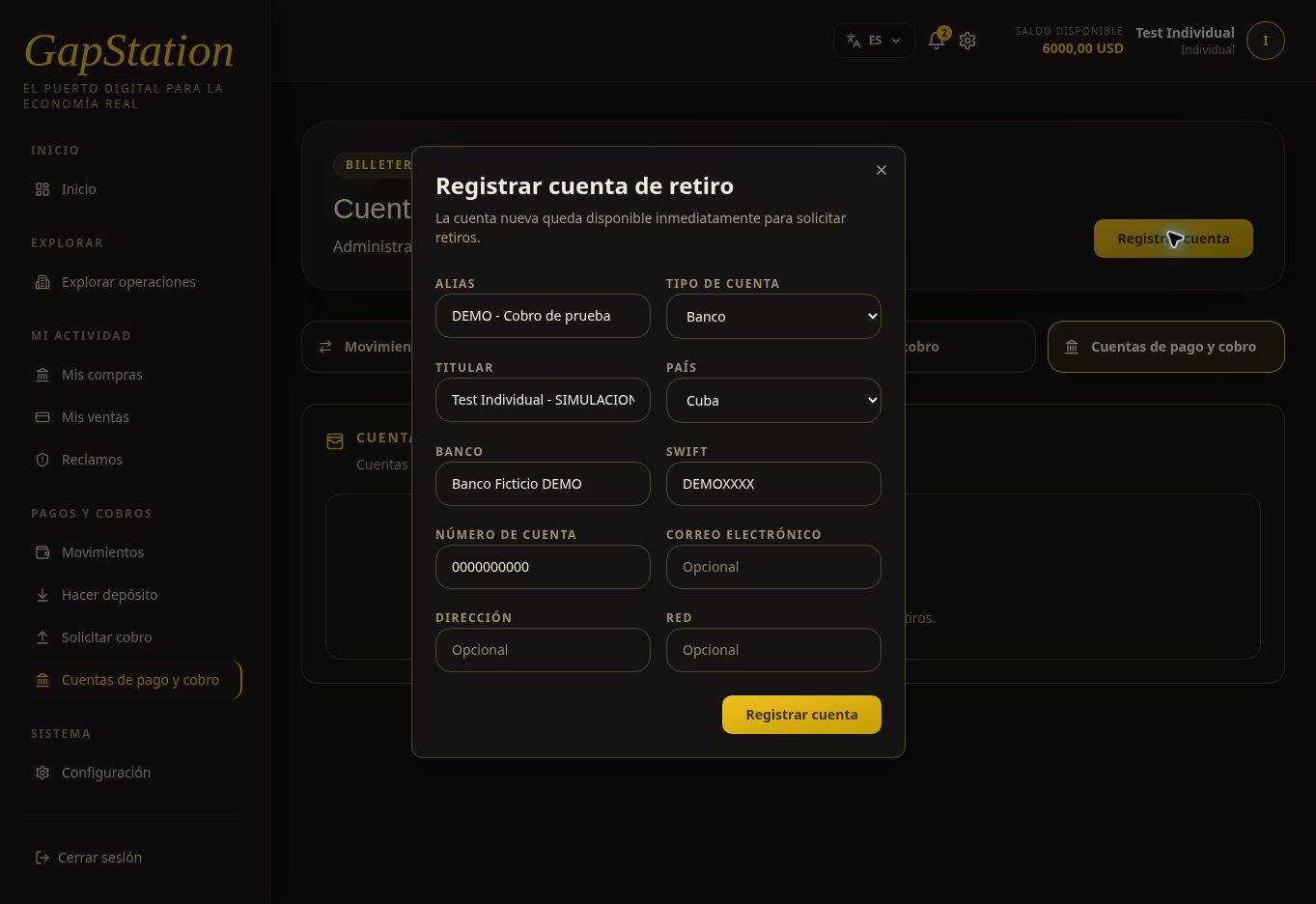
Select RegistrarRegister cuentaaccount. ElThe formularioform indicasays quethe lanew nuevaaccount cuentais quedaavailable disponibleimmediately inmediatamentefor parawithdrawal solicitar retiros.requests.
2. CompletaEnter losthe datosdetails
- Alias:
unanombrenameparatoidentificaridentifylathecuenta.account. TipoAccountde cuenta:type:Banco,Bank,Cripto,Crypto,PayPalPayPal,uorOtroOther /sin especificar.unspecified.TitularAccountyholderpaís:and country:losdetailsdatosofdelthedestino.destination account.CompletaCompletelosthecamposrelevantquefields,correspondan:suchbanco,as bank, SWIFT,númeroaccountdenumber,cuenta,email,correo,address,direcciónoro red.network.Verifica
- Alias:
Carefully laverify informaciónthe antesinformation debefore pulsarselecting RegistrarRegister cuentaaccount.
3. EjemploExample deof cuentaa registradaregistered account
ParaA documentarfictitious elaccount flujowas secreated creóto unadocument cuentathis ficticia:flow:
| Alias | DEMO - |
| Test Individual - |
|
| Cuba | |
| SWIFT | DEMOXXXX |
| 0000000000 |
No utilices estos valores para cobros reales. Son datos ficticios del entorno de pruebas.
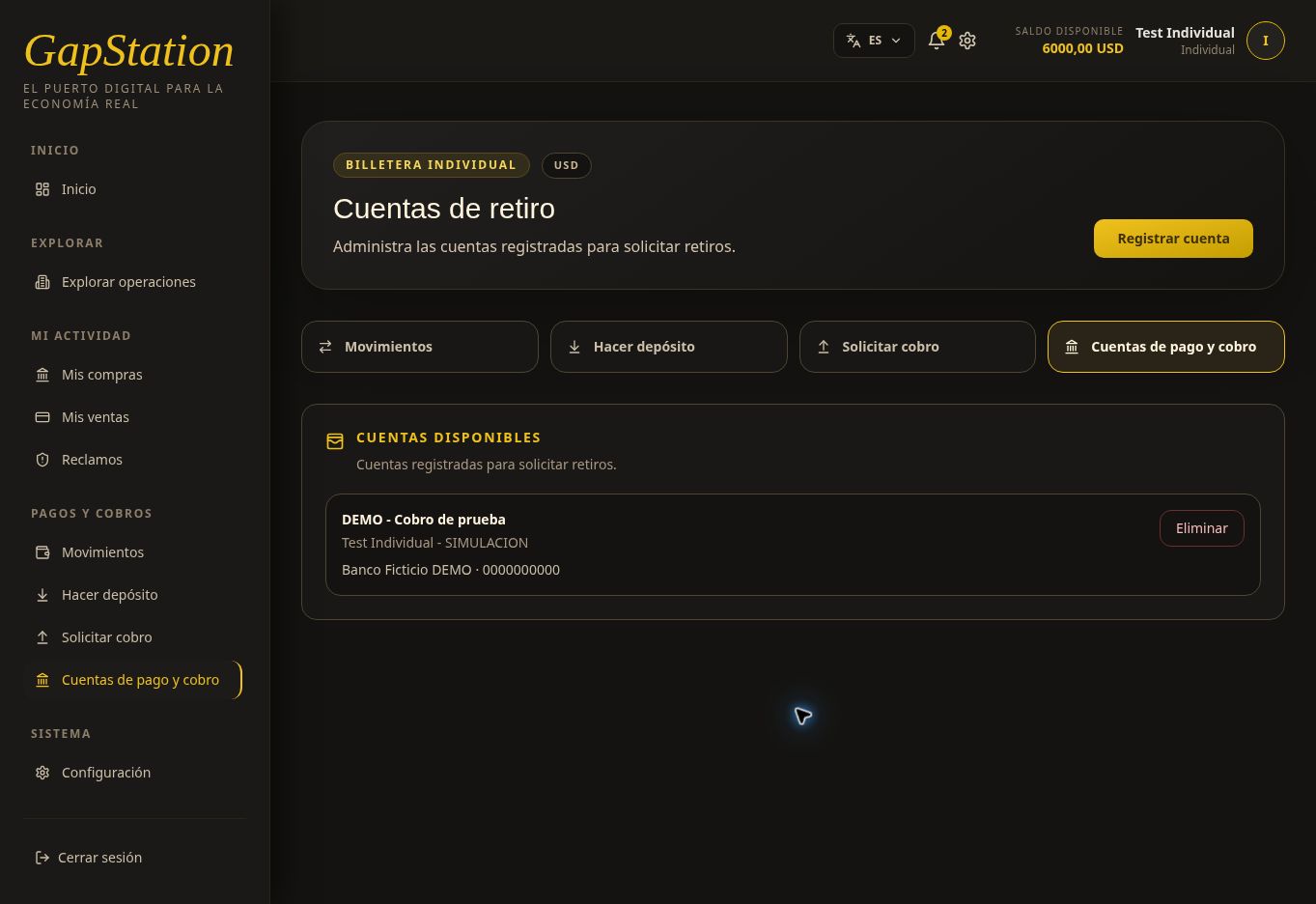
LaDo tarjetanot muestrause these values for real withdrawals. They are fictitious data from the test environment.
The account card shows the alias, titular,account bancoholder, ybank, cuenta.and Elaccount botónnumber. EliminarDelete esis unaa acciónmanagement deaction; gestión;you nodo hacenot faltaneed pulsarloto paraselect utilizarit lato cuenta.use the account.
4. ContinúaContinue conto SolicitarRequest cobrowithdrawal
LaThe cuentaaccount yanow apareceappears comoas destinoa endestination elin formulariothe dewithdrawal Solicitudrequest deform. cobro.Registering Registraran unaaccount cuentadoes nonot muevemove dineromoney nior creacreate una retirowithdrawal automáticamente.automatically.
ParaTo añadiradd saldofunds antesbefore debuying, comprar,use utilizaMake Hacer depósitodeposit, quewhich esis una procesoseparate distinto.process. EnIn unreal usouse, real,destination losaccount datosdetails bancariosmust obe deaccurate cobroand debenmust sernot correctosbe ypublished noin publicarsethe enhelp la documentación.documentation.