
07. Review account transactions
Under Payments and withdrawals → Transactions, you can track wallet inflows and outflows and see how your balance is calculated.
1. Review your balance, held funds, and available amount
- Balance: total amount shown in the wallet.
- Held balance: reserved funds you cannot use yet.
- Available: amount you can use; in this example, balance minus held funds.
2. Read the example history
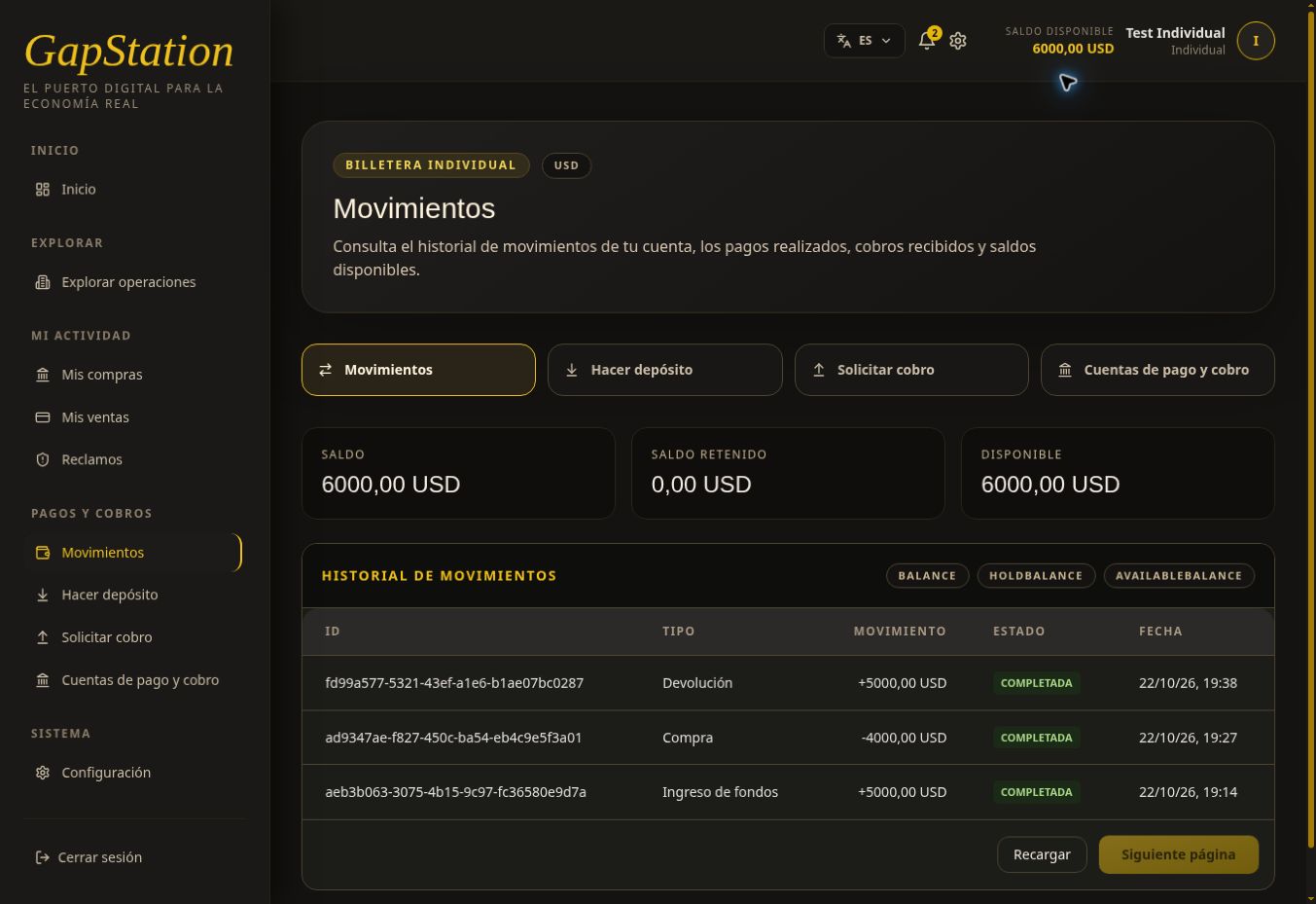
The history is sorted with the newest transaction first. To reconstruct the flow, read these three entries from oldest to newest:
| Type shown | Transaction | What happened | Resulting balance |
|---|---|---|---|
| Funds received | +USD 5,000 | The approved deposit was credited. | USD 5,000 |
| Purchase | −USD 4,000 | Purchase of two units in Leche en polvo was confirmed. | USD 1,000 |
| Return | +USD 5,000 | The return was credited: USD 4,000 purchase amount plus USD 1,000 profit. | USD 6,000 |
All three records show COMPLETED. A plus sign means money entered the wallet; a minus sign means money left it. Here, the Return label refers to the settlement return; it does not mean the purchase was cancelled.
Calculation: 5,000 − 4,000 + 5,000 = USD 6,000. Keep the transaction ID, type, status, and date if you need to ask support about it.
3. What happens when you request a withdrawal
After this screenshot, a USD 1,000 withdrawal was requested. While it was pending, the following was verified:
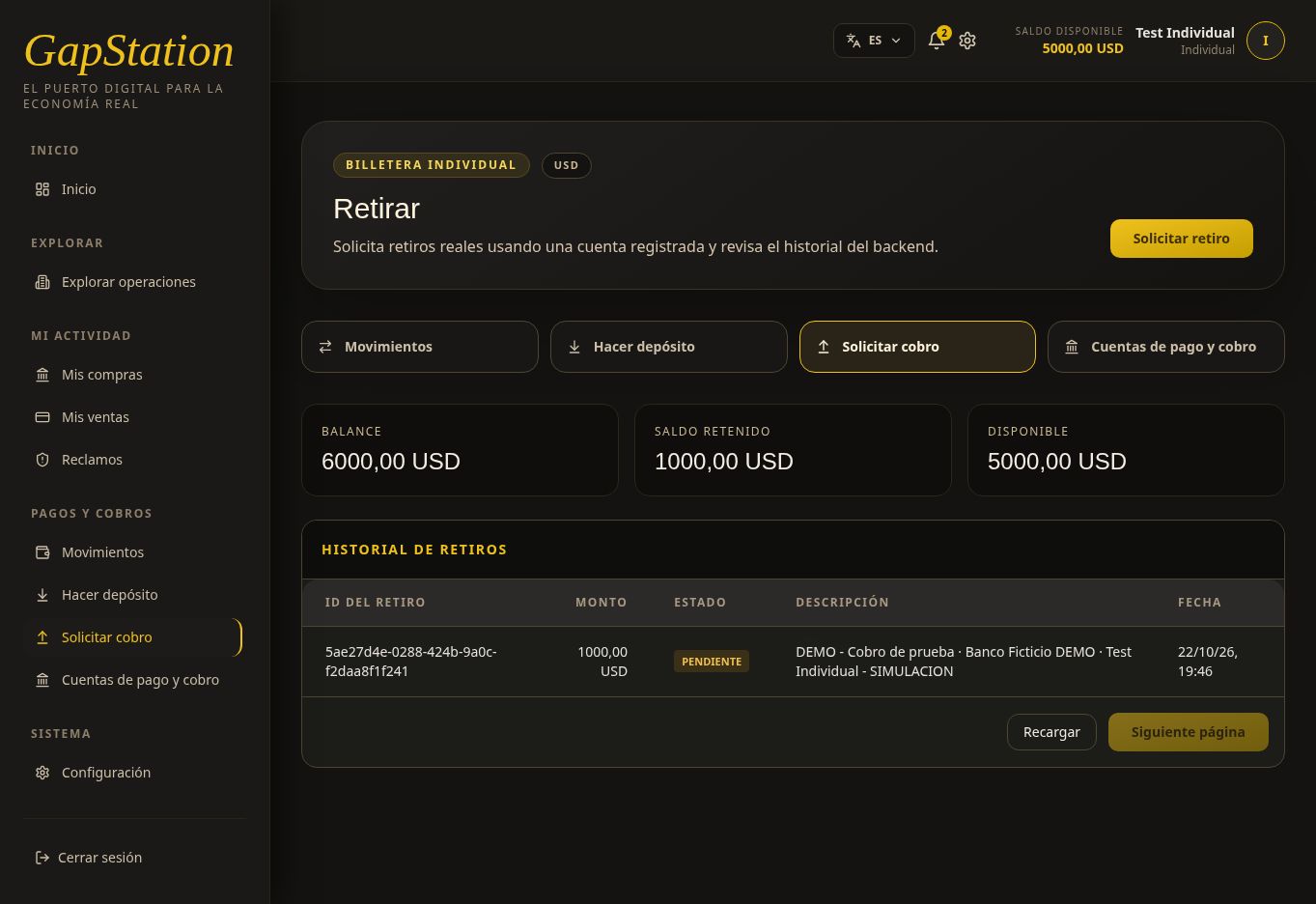
| Balance | Held | Available |
|---|---|---|
| USD 6,000 | USD 1,000 | USD 5,000 |
Held funds do not mean the payment has been completed. Check its status under Request withdrawal. The approved result is shown in the next step.
4. Check the approved withdrawal
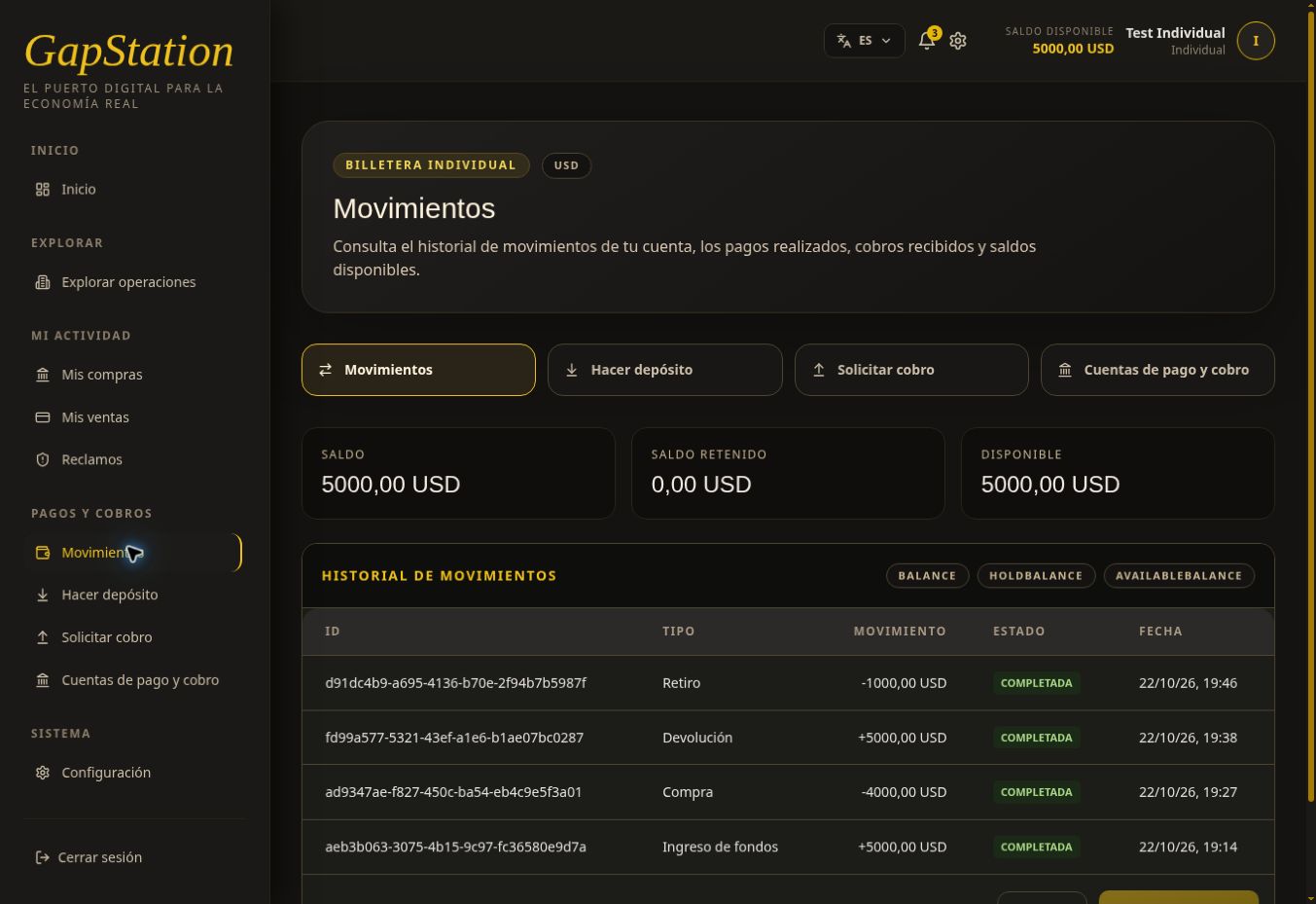
After approval and a page refresh, a new transaction appears: Withdrawal −USD 1,000, COMPLETED.
| Full flow | Amount | Resulting balance |
|---|---|---|
| Funds received | +USD 5,000 | USD 5,000 |
| Purchase | −USD 4,000 | USD 1,000 |
| Return / settlement | +USD 5,000 | USD 6,000 |
| Withdrawal | −USD 1,000 | USD 5,000 |
Final calculation: 5,000 − 4,000 + 5,000 − 1,000 = USD 5,000. The balance is USD 5,000, held funds are USD 0, and available funds are USD 5,000. The USD 1,000 reserve disappears when the withdrawal is posted; it is not a second deduction.
The bell also receives the alert Withdrawal confirmed — GapStation. See Request a withdrawal for the screenshot and its status change from PENDING to APPROVED.
5. Refresh the information
Select Refresh to check the history and use Next page if available. If the balance still shows the old amount after a change, reload the full page and wait for it to finish loading. Check the specific deposit or withdrawal history if a transaction is missing.
All amounts and accounts in this demonstration belong to the test environment.
No comments to display
No comments to display