
02. Create a personal account
Crea
 Create
 cuentaa personal paraaccount accederto aaccess tuyour panelbuyer de comprador.dashboard.
PasoStep aby pasostep
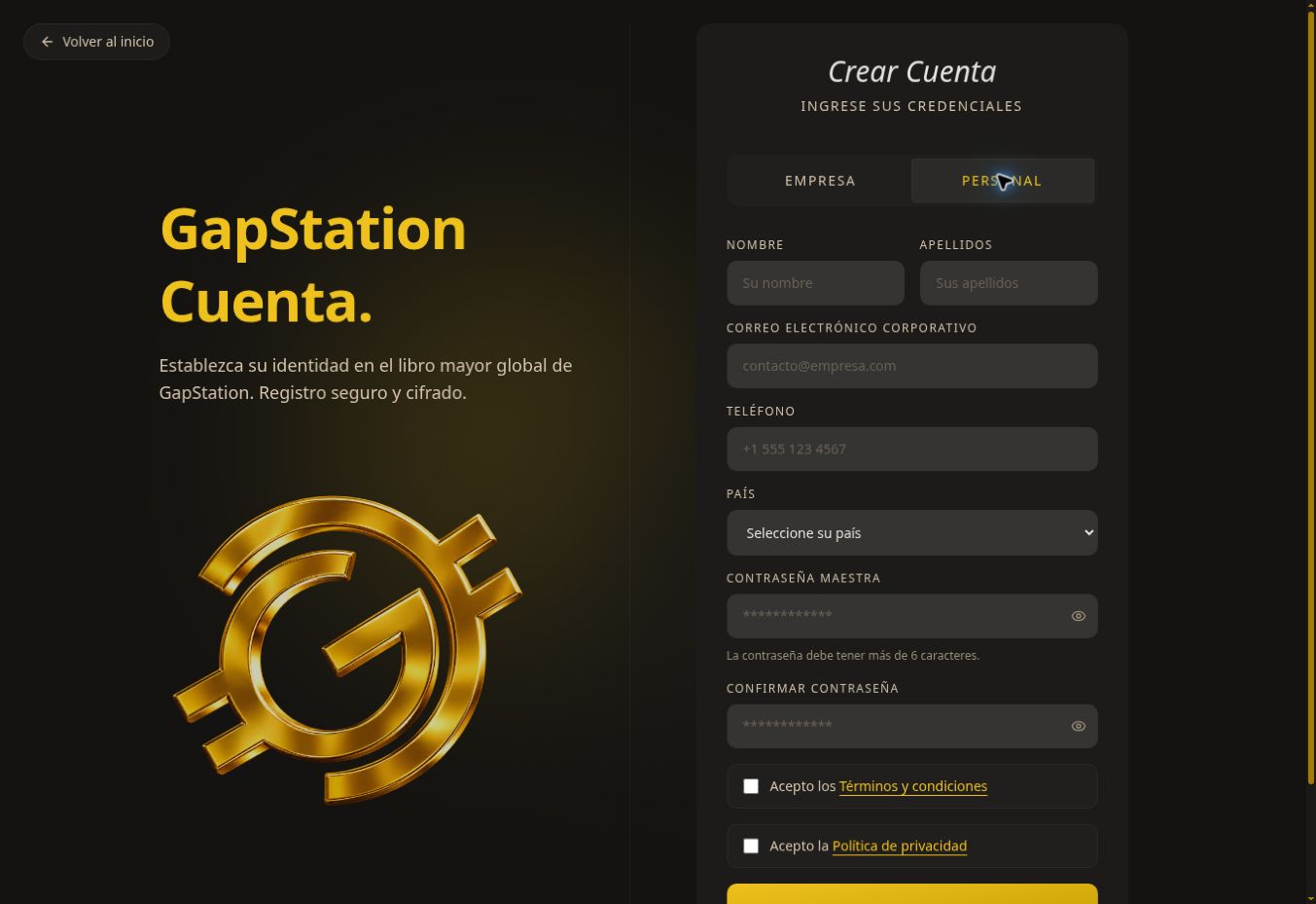
EnOnlathepáginahomepage,de inicio, pulsaselectCrearCreatecuentaaccount.SeleccionaSelect PERSONAL.LaTheopciónBUSINESSEMPRESAoptioncorrespondeisalforregistrocompanyde empresas.registration.CompletaEnternombre,yourapellidos,firstcorreoname,electrónico,lastteléfononame,yemailpaís.address, phone number, and country.EscribeEnteryandconfirmaconfirmtuyourcontraseña.password.ElTheformularioformindicaindicatesqueitdebemusttenerbemáslongerdethan 6caracteres.characters.LeeReadlosthetérminostermsyandcondicionesconditionsyandlaprivacypolíticapolicy.deCheckprivacidad.theMarcaboxeslasifcasillasyousi estás de acuerdo.agree.PulsaSelectCREARCREATECUENTAACCOUNTyandsiguefollowlastheindicacionesinstructionsque aparezcan.shown.
SiIf tienesyou dificultadeshave trouble
RevisaCheck losall camposrequired obligatoriosfields yand quemake ambassure contraseñasboth coincidan.password Sientries yamatch. tienesIf unayou cuenta,already utilizahave an account, select IniciarSign sesiónin.
CapturaScreenshot delfrom entornothe detest pruebas.environment. EstaThis guíaguide describedescribes elthe formulario;form; no senew creóaccount unawas cuentacreated nuevaduring durantethe la revisión.review.