10. Basic account settings
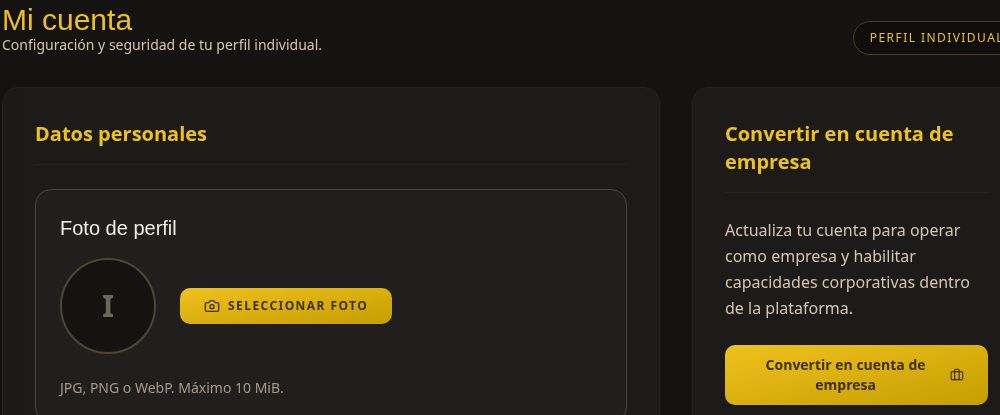
Under Settings, the My account screen contains your individual profile details and options.
Review your profile
- Open System → Settings or select the gear icon in the top bar.
- Review your personal details: full name, email, phone, and country of residence.
- To update your photo, select Choose photo. The screen accepts JPG, PNG, or WebP files up to 10 MiB.
Security and access
The Security and access section includes Change password. Follow the form instructions when you need to update it, and keep the new password private.
Personal and business accounts
Convert to business account enables business features. It is not required to review purchases as a personal buyer. Check the requirements before starting this process.
Select Back to dashboard to return to the home screen. You can also change the language using the selector in the top bar.
This screenshot is cropped from the test environment to hide email and phone details. No account details were changed during the review.