08. Register payment and withdrawal accounts
To request a withdrawal, you need a destination account. Under Payments and withdrawals → Payment and withdrawal accounts, open the Withdrawal accounts screen.
1. Open Register account
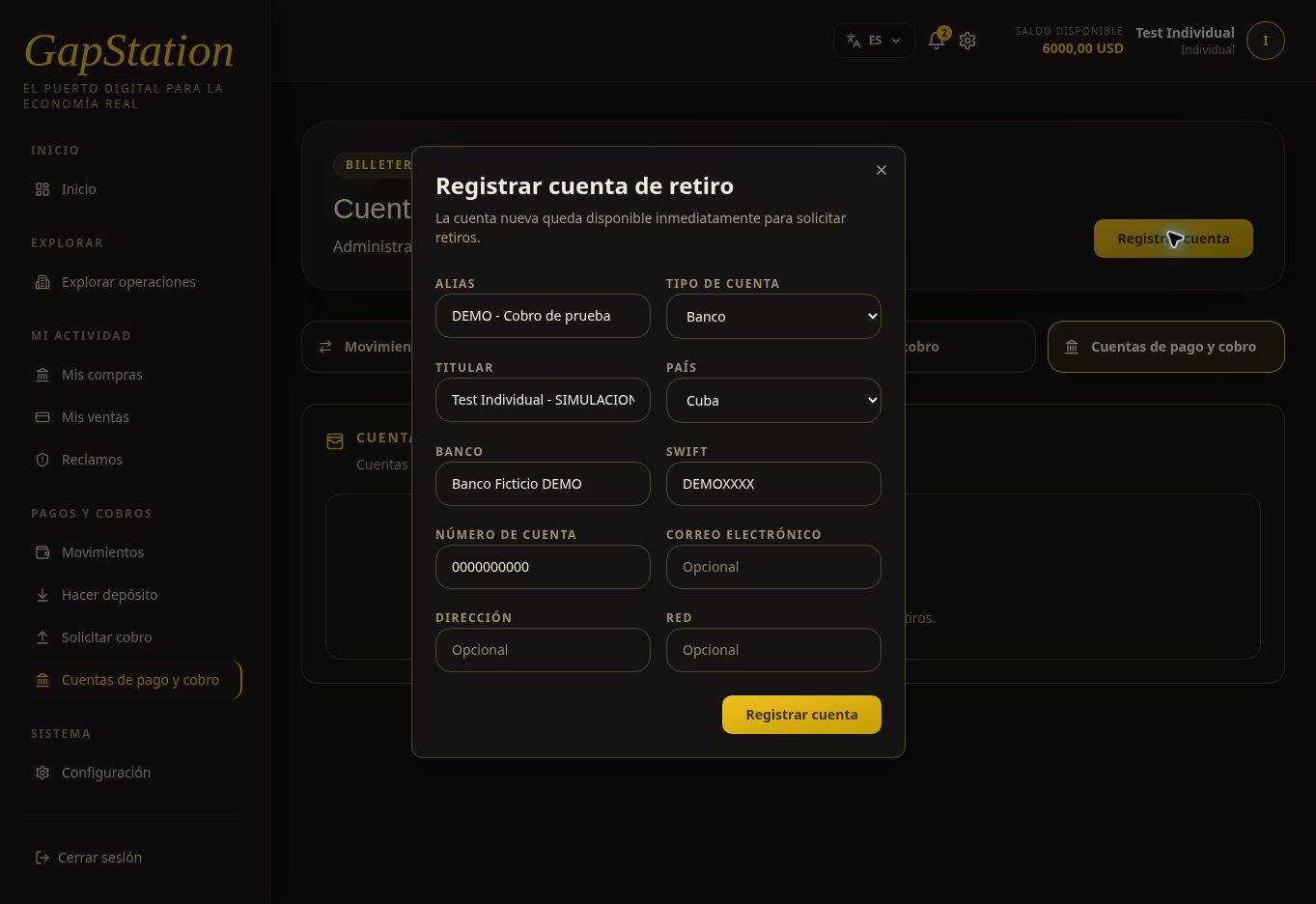
Select Register account. The form says the new account is available immediately for withdrawal requests.
2. Enter the details
- Alias: a name to identify the account.
- Account type: Bank, Crypto, PayPal, or Other / unspecified.
- Account holder and country: details of the destination account.
- Complete the relevant fields, such as bank, SWIFT, account number, email, address, or network.
Carefully verify the information before selecting Register account.
3. Example of a registered account
A fictitious account was created to document this flow:
| Field | Test value |
|---|---|
| Alias | DEMO - Test withdrawal |
| Type | Bank |
| Account holder | Test Individual - SIMULATION |
| Country | Cuba |
| Bank | Fictitious Bank DEMO |
| SWIFT | DEMOXXXX |
| Account number | 0000000000 |
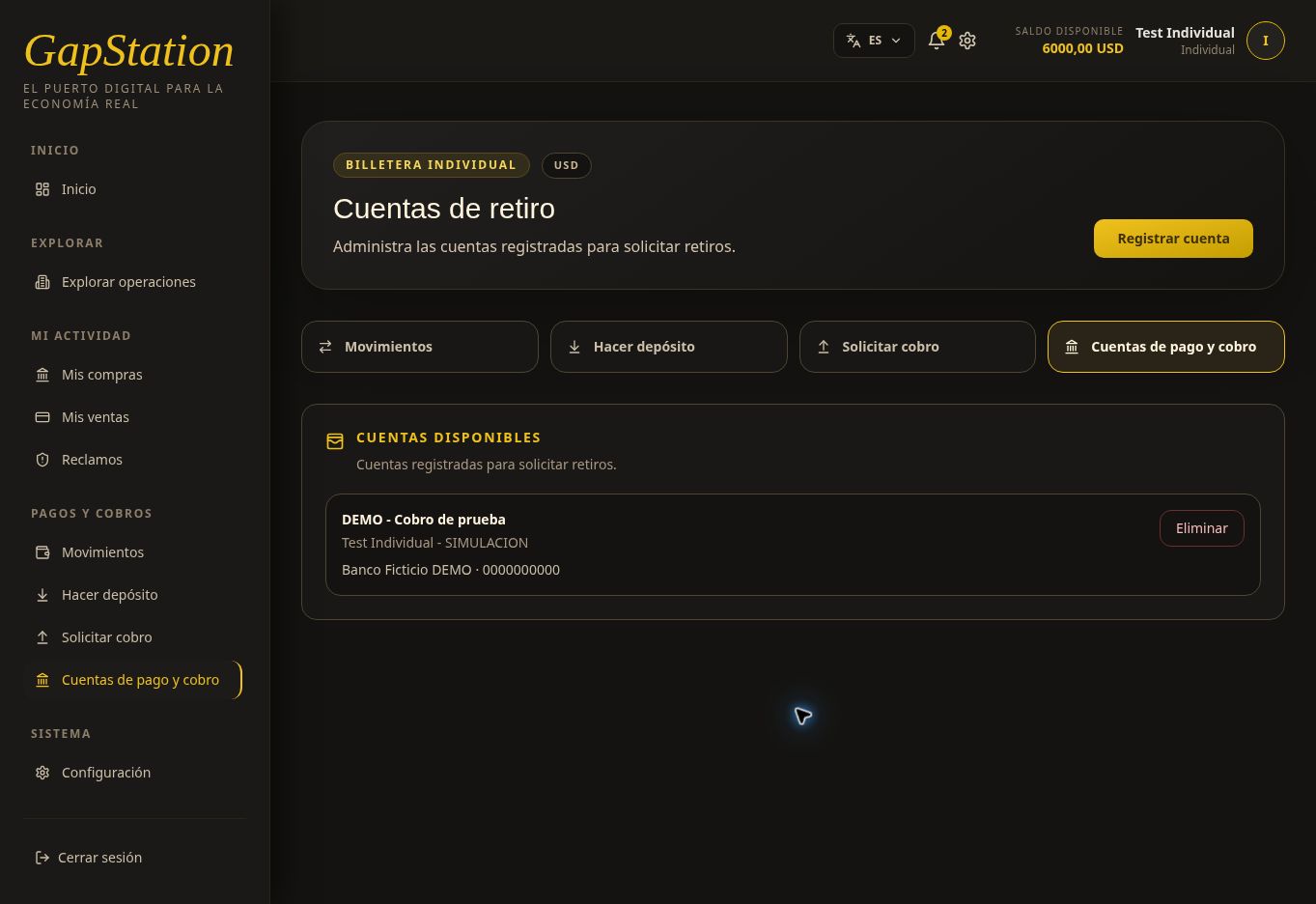
Do not use these values for real withdrawals. They are fictitious data from the test environment.
The account card shows the alias, account holder, bank, and account number. Delete is a management action; you do not need to select it to use the account.
4. Continue to Request withdrawal
The account now appears as a destination in the withdrawal request form. Registering an account does not move money or create a withdrawal automatically.
To add funds before buying, use Make deposit, which is a separate process. In real use, destination account details must be accurate and must not be published in the help documentation.